
The air hockey stadium was one of my favorite class projects. The project was originally supposed to be a small penny hockey project but I was inspired by another older engineering student that created a working air hockey stadium a few years ago.
I talked to the student, Chase who created the air hockey table. I asked many questions that would help me a lot in creating it. I asked various questions about the fan, the voltage of the fan, the size of the fan and how to direct the airflow to the table. One of the biggest part was finding a powerful enough fan. If we had a fan that was not powerful enough we would have to get another fan and keep on testing fans that would work. Chase recommended a 12v 120mm squirrel fan. In testing, this fan was perfect for the table.

–Picture of Chace’s Air Hockey Table: Back View
Arduinos for controlling the scoreboard and the fan. 120mm squirrel fan blowing air into 3d printed tunnel for airflow.

Instructables: DIY Low Cost Air Hockey Table
This is a diagram showing the airflow through the holes underneath the puck. The fan creates high pressure below the piece with the holes and high pressure air flows out reducing the friction of the puck.
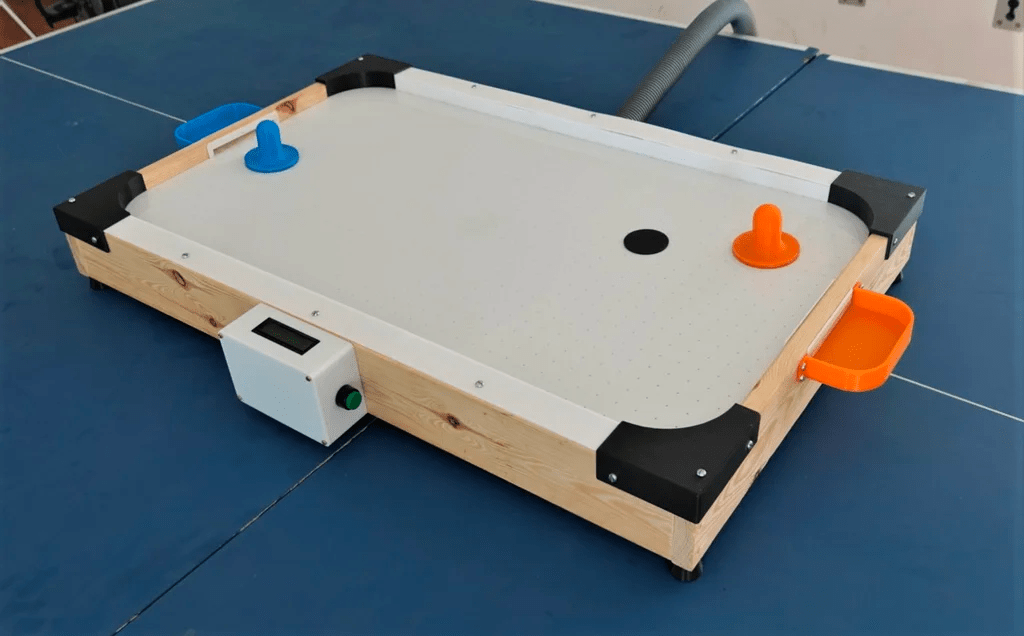
Instructables: DIY Low Cost Air Hockey Table
Small air hockey table with goals, play surface, goal counter, corner stoppers and planks. Uses an external air pump for airflow

The design has 2 dado cuts on each plank for holding the top acrylic with the holes, and the bottom wood piece.

Click the image above for the Fusion 360 File
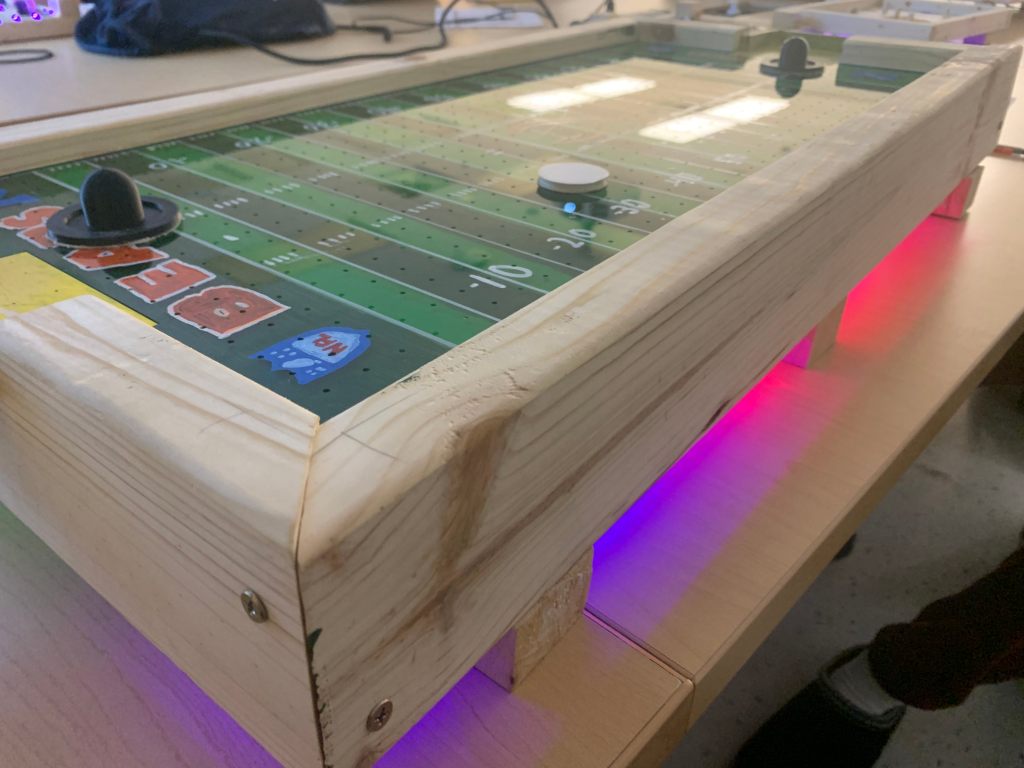
After assembly, I had the idea to paint it so it would look like a Bears football field.

I sanded and painted the backside of the acrylic.

Added white lines on top with a white paint marker.
Added marks and yards on a real football field

I used LED Strips on the backside for decoration.
#include <FastLED.h>
#define LED_PIN 13
#define NUM_LEDS 78

CRGB leds[NUM_LEDS];


void setup() {
  FastLED.addLeds<WS2812, LED_PIN, GRB>(leds, NUM_LEDS);
  FastLED.setMaxPowerInVoltsAndMilliamps(5, 500);
  FastLED.clear();
  FastLED.show();

}

void loop() {
  // Turn lights from green to blue from left to right   R G B
  for (int i=0; i<NUM_LEDS; i++){
    leds[i] = CRGB(0, 255 - 4*i, 4*i );
    FastLED.setBrightness(2*i);
    FastLED.show();
    delay(50);
  }
  // Turn lights from blue to magenta from right to left
  for (int i=NUM_LEDS; i>0; i--){
    leds[i] = CRGB(4*i,0 , 255-4*i);
    FastLED.setBrightness(100-i);
    FastLED.show();
    delay(50);
  }


}
LED strip Arduino code from Github
Overall, I had fun creating this project but there were many challenges and obstacles. Achieving the right dimensions for the side planks to fit with the acrylic play space was a big challenge. It took lots of trial and error but at the end it came out great. I learned many things from this project like a newtype of cut called the dado cut. The dado cuts in the wood plank hold the acrylic play space and the wooden backplate close together. I learned how to use many woodworking machines like the table saw and the miter saw. I also learned that setting goals along the way can help you achieve anything. I set many goals of what aspects of the air hockey table I would work on. I used wood planks, 3d printed goals, acrylic play space, Arduino’s, LCD’s, fans, wires and buttons to create my air hockey table. I also went to my local libraries makerspace and painted the backside of the acrylic sheet to look like a football field. I used paint markers on top for all of the extra marks, numbers and design to achieve the look of Soldiers Field. I used a laser cut foam puck because it is really light and easy to make and I 3d printed hitters and glued fabric on the bottom to prevent scratching. I am really happy with my project and how it looks. The tools we learned, Arduino’s, soldering, miter saw, band saw, table saw, laser cutter and drilling, over the year were all incorporated into this project.

Sources:
Technovation, & Instructables. (2019, August 26). DIY Low Cost Air Hockey table. Instructables. https://www.instructables.com/DIY-Low-Cost-Air-Hockey-Table/
Hendog993. (2020). Youtube_arduino/LEDStrip.ino. Github. https://github.com/hendog993/Youtube_arduino/blob/master/LEDStrip.ino.
 Emaad Majeed